Most company websites do not fail all at once.
They drift.
The product changes. The ICP gets sharper. The sales team starts selling to larger accounts. The company raises a round, launches three new features, hires a real marketing lead, and quietly keeps sending prospects to a homepage written for the company it used to be.
That is usually when the redesign debate starts.
One side wants a full rebuild. New positioning, new design system, new CMS, new performance baseline, new launch. The other side wants to keep moving: fix the hero, ship the new pricing page, update the demo flow, improve the highest-traffic pages, and avoid a three-month website project.
Both instincts can be right. The mistake is treating "redesign" as one decision.
A better question is:
Is the website's foundation wrong, or is the current version just under-optimized?
If the foundation is wrong, iterate all you want - every improvement will feel like patching a cracked wall. If the foundation is sound, a full rebuild creates avoidable cost, risk, and delay.
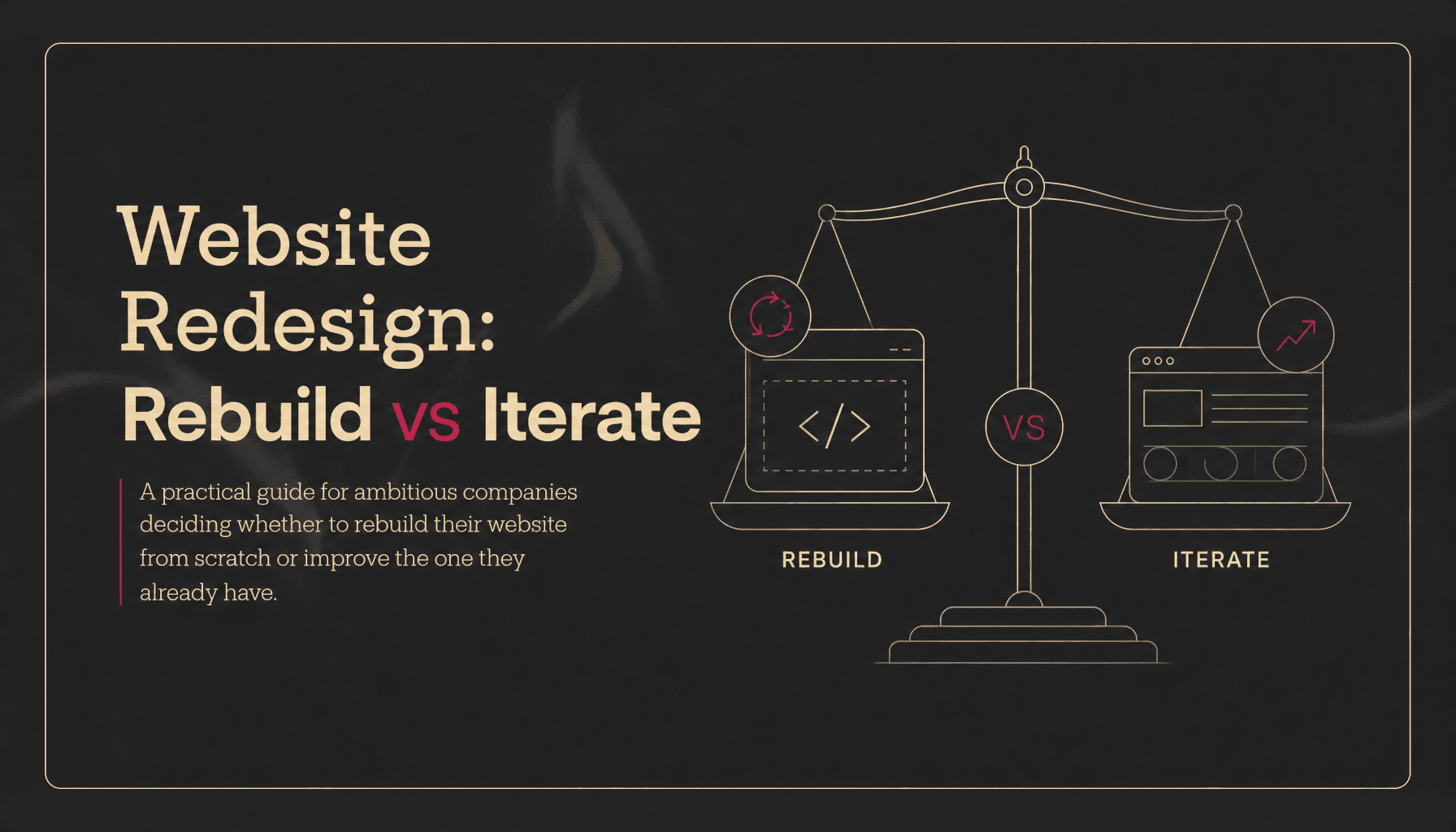
This guide gives growing teams a practical way to decide when to rebuild and when to iterate.
The Short Answer
Rebuild when the website no longer matches the business, the platform slows the team down, the information architecture is broken, or the brand needs to signal a different level of credibility.
Iterate when the core structure still works, the CMS is manageable, the brand is directionally right, and the biggest problems are concentrated in a few pages or conversion moments.
Use this rule:
If the problem is local, iterate. If the problem is structural, rebuild.
Local problems sound like:
- "The hero message is vague."
- "The demo CTA is buried."
- "The pricing page creates objections."
- "The product screenshots are old."
- "The mobile nav needs work."
Structural problems sound like:
- "Nobody can explain what we do from the homepage."
- "Our best product lines are not discoverable."
- "Every page was built differently."
- "Marketing cannot ship without engineering."
- "The site feels too early-stage for the buyers we now sell to."
- "We are afraid to touch the CMS because something breaks."
That distinction matters because growing companies have limited attention. A redesign should not be a vanity project. It should either remove a growth constraint or change the company's market perception.
Why website redesigns go wrong
Website redesigns usually fail for one of three reasons: the team redesigns for taste instead of business context, changes too much at once, or treats launch day as the finish line.
The first failure is the most common. A founder gets tired of the old site. A competitor launches something sharper. The team starts collecting references. The brief becomes "make us look more premium," which is directionally useful but operationally vague.
A company website has a job. For most B2B companies, it needs to:
- Explain the category and product quickly
- Build trust before the sales call
- Route different buyers to the right proof
- Capture demand through demo, signup, or contact flows
- Support SEO, paid campaigns, and sales enablement
- Let marketing update pages without waiting on product engineering
If the redesign brief does not name which of those jobs is broken, the project becomes subjective. That is how teams spend weeks debating gradients and card styles while the real conversion issue sits untouched.
The second failure is changing everything at once. Google's site migration guidance explicitly recommends planning major changes carefully, mapping old URLs to new ones, testing the new site, implementing proper redirects, and monitoring traffic after launch. It also warns that search visibility can fluctuate during significant site moves while Google recrawls and reindexes pages. The more variables you change at once - domain, CMS, URL structure, content, layout, metadata - the harder it is to diagnose what helped or hurt.
The third failure is treating the redesign as a big reveal. Ambitious companies do not need a museum piece. They need a site that can keep changing after launch. A rebuild that leaves the team dependent on developers for every small edit recreates the same problem in a nicer wrapper.
When to Iterate Instead of Rebuild
Iteration is the right move when the site is basically pointing in the right direction and the constraint is performance, clarity, or conversion on specific surfaces.
In plain terms: the house is fine. Some rooms need work.
Iterate if your positioning is stable
If your ICP, category, core product story, and sales motion are not changing, you probably do not need to rebuild the whole site. You need to make the existing site communicate those things better.
Good iteration targets include:
- Rewriting the homepage hero around a sharper pain or outcome
- Adding proof above the fold
- Reordering product sections based on buyer priority
- Rebuilding the demo request page
- Improving comparison, pricing, integration, or use-case pages
- Adding stronger case studies or industry pages
These changes can materially improve performance without dragging the whole site into a redesign cycle.
Iterate if analytics point to a few weak points
Do not rebuild a full site because one funnel step is weak.
If traffic is healthy but demo conversion is low, inspect the pages closest to the conversion. If product pages get visits but little engagement, improve those pages. If mobile users drop at a specific point, fix the mobile experience. If paid traffic bounces from a landing page, rebuild the landing page before rebuilding the website.
Google's Core Web Vitals framework is useful here because it turns vague "the site feels slow" feedback into measurable signals: Largest Contentful Paint for loading performance, Interaction to Next Paint for responsiveness, and Cumulative Layout Shift for visual stability. A team can often improve these metrics page by page without replacing the entire site.
Iterate if the platform still supports the team
A site can look old and still be operationally sound.
If marketing can edit pages, launch campaign landing pages, publish content, manage CMS collections, and run experiments without engineering bottlenecks, keep that advantage. Rebuild the weak parts. Preserve the operating model.
Iteration is especially attractive when the team is still learning. Companies in active discovery often change messaging every few weeks. A full rebuild in that phase can hard-code assumptions that will be obsolete by the time the site launches.
Iterate if users already understand the experience
Radical change has a cost. Users bring expectations from previous experiences, and Jakob's Law is the reminder that people prefer interfaces that behave in familiar ways. You do not need to preserve a bad experience, but you should be careful about changing patterns that users already understand.
For example, if your docs, pricing, login flow, or product navigation already works, do not redesign it for novelty. Improve the parts that create confusion. Keep the parts that create confidence.
NN/g's usability testing guidance also supports smaller, repeated rounds of testing over one giant research pass. For many qualitative tests, testing with a small number of users, fixing issues, and testing again creates better ROI than waiting for one large study. That is the iteration mindset.
When to Rebuild the Website
A rebuild is the right move when the site's underlying model no longer fits the company.
That usually happens after a meaningful business shift: a new ICP, a broader product suite, an upmarket sales motion, a rebrand, a funding round, a platform migration, or a growth stage where the website moves from "we need a presence" to "this is part of revenue infrastructure."
Rebuild if the business has outgrown the story
This is the clearest reason to redesign.
Companies often move faster than their websites. The homepage may still describe one product when the company now sells a platform. The navigation may reflect internal team structure rather than buyer intent. Case studies may be missing because nobody had them when the first site was built. The brand may still feel early even though the company now sells to larger buyers.
EPYC saw this clearly on the GoKwik redesign. GoKwik had grown into a D2C growth platform with nine products, 15,000+ brands, and 50M+ shoppers, but the old homepage did not surface the product suite clearly. The issue was not one weak section. The site architecture and story no longer matched the company. That required a ground-up redesign: new homepage narrative, product templates, motion system, and a scalable structure for 50+ pages across desktop and mobile.
That is a rebuild-worthy problem.
Rebuild if the information architecture is broken
Information architecture is not a sitemap exercise. It is how the company explains itself.
You likely need a rebuild if:
- Buyers cannot find the product relevant to them
- The navigation mirrors internal departments instead of customer questions
- Every page explains the company from scratch
- Product, use-case, industry, and integration pages overlap
- Sales keeps sending custom decks because the website cannot tell the story
- SEO content exists but does not connect to conversion pages
You can rewrite a page inside a broken architecture, but the visitor still gets lost. Rebuild when the map is wrong.
Rebuild if the CMS or codebase slows growth
The website is not just what users see. It is also the system the team uses to ship.
For marketing teams, operational drag compounds quickly. If every landing page requires engineering time, every content update risks breaking layout, and every new product page needs custom code, the website becomes a bottleneck.
This is where a redesign can pay for itself beyond aesthetics. A better CMS model, reusable sections, clean design system, and platform choice can make the team faster every week after launch.
EPYC's own positioning is built around this reality: the platform is an implementation detail. Webflow, Framer, WordPress, Bubble, or custom code can all be right depending on the job. The point is not to win a tool argument. The point is to build a website that the team can actually operate.
Rebuild if performance problems are systemic
Some performance problems are local: oversized hero media, unnecessary scripts, poor image handling, or one heavy page.
Others are systemic: the entire frontend is bloated, templates are inconsistent, the CMS outputs messy markup, tracking scripts are unmanaged, or the site architecture forces slow rendering across key pages.
If Core Web Vitals are poor across the site and the causes are embedded in the build, a rebuild may be cleaner than months of patching. The new baseline should define performance requirements before design starts, not after the site is visually approved.
As a practical standard, Google recommends that good Core Web Vitals performance hit LCP within 2.5 seconds, INP at 200 milliseconds or less, and CLS at 0.1 or less at the 75th percentile of page loads. Those thresholds should be part of the redesign acceptance criteria, not a post-launch wish list.
Rebuild if the brand needs a credibility reset
Sometimes the website works functionally but fails commercially.
That happens when a company sells to a more sophisticated buyer than the site suggests. The team may be pitching enterprise prospects, investors, or strategic partners while the website still feels like an early MVP. The risk is not just lower conversion. It is doubt.
Credibility is not decoration. It comes from hierarchy, copy, proof, performance, visual quality, interaction design, and consistency. If those signals are misaligned with the market you now serve, a rebuild is justified.
This is why EPYC treats redesign as more than a reskin. A strong website redesign reworks structure, message, proof, and build together. The output is not "new visuals." It is a website that matches how far the company has come.
The Rebuild vs Iterate Decision Framework
Use this five-part test before committing to a website redesign.
1. Business Fit
Ask: does the website still represent the current business?
Iterate if the answer is mostly yes and the gaps are specific.
Rebuild if the answer is no because the product, buyer, category, pricing, or sales motion has changed.
Signals to check:
- Homepage accuracy
- Product and feature coverage
- ICP alignment
- Sales objections
- Proof and case study relevance
- Category clarity
If your best sales pitch and your homepage feel like they belong to different companies, rebuild.
2. Structural Fit
Ask: can the current site architecture support the next 12-18 months?
Iterate if you can add, remove, or improve pages without confusing the system.
Rebuild if every new page makes the site harder to understand.
Signals to check:
- Navigation clarity
- URL structure
- CMS collections
- Template consistency
- Internal linking
- SEO page hierarchy
- Conversion paths
If the structure cannot scale with the roadmap, redesign the structure before adding more content.
3. Operational Fit
Ask: can the team move at GTM speed on this website?
Iterate if marketing can ship without constant engineering dependency.
Rebuild if the site turns basic GTM work into a queue.
Signals to check:
- Time to publish a landing page
- Time to update copy
- Engineering involvement per change
- CMS usability
- Component reuse
- QA burden
- Analytics and tracking maintainability
The website should reduce GTM friction, not create it.
4. Performance Fit
Ask: are speed, stability, accessibility, and technical SEO problems isolated or systemic?
Iterate if the problems are limited to a few pages, assets, or scripts.
Rebuild if the technical foundation creates the same problems everywhere.
Signals to check:
- Core Web Vitals
- Mobile load times
- JavaScript weight
- Image strategy
- Layout shift
- Crawlability
- Metadata and schema consistency
- Redirect and canonical hygiene
Do not redesign around performance after the fact. Bake it into the spec.
5. Market Fit
Ask: does the website create the level of trust required for the buyers you want?
Iterate if the brand is close and proof is the main missing layer.
Rebuild if the visual system, messaging, and proof all undersell the company.
Signals to check:
- Investor reaction
- Sales team confidence
- Enterprise buyer trust
- Competitive comparison
- Design quality
- Case study depth
- Testimonial visibility
If the product is premium and the site feels average, the site is taxing every sales conversation.
A Practical Scoring Model
Score each area from 1 to 5.
1 means the current site is actively hurting you. 5 means it is working well.
| Area | 1-2 means | 3 means | 4-5 means |
|---|---|---|---|
| Business fit | Story is outdated | Some sections are stale | Site matches current business |
| Structural fit | IA is broken | IA works but needs cleanup | IA can scale |
| Operational fit | Team cannot ship | Some bottlenecks | Marketing can move fast |
| Performance fit | Issues are systemic | Mixed performance | Mostly healthy |
| Market fit | Site hurts credibility | Brand is acceptable | Site builds trust |
Add the scores.
- 20-25: iterate. Do targeted improvements and keep measuring.
- 14-19: hybrid. Rebuild key templates, navigation, and conversion paths without changing everything.
- 5-13: rebuild. The foundation is likely the constraint.
The middle band is common. Many companies do not need a full "burn it down" redesign. They need a strategic rebuild of the parts that define the system: homepage, navigation, design system, CMS templates, product pages, proof pages, and conversion flows.
What to Preserve During a Rebuild
A good rebuild is not a fresh start from zero. It is a controlled migration from what works to what works better.
Preserve:
- High-performing URLs
- Ranking content
- Backlink equity
- Clear product explanations
- Familiar navigation patterns that users understand
- Proof assets that still build trust
- Analytics continuity
- Useful CMS content
Change:
- Outdated positioning
- Confusing architecture
- Weak conversion paths
- Slow templates
- Inconsistent design patterns
- Hard-coded pages that should be CMS-driven
- Unmaintainable plugins and scripts
- Visual systems that no longer match the company
This is especially important for SEO. Google's site move documentation recommends preparing URL mappings, updating internal links, using server-side permanent redirects where possible, avoiding redirect chains, submitting updated sitemaps, and keeping redirects for at least one year. Those are not launch-week chores. They are redesign requirements.
What to Measure Before You Decide
Before choosing rebuild or iteration, collect a baseline. Otherwise, the decision will be driven by taste and urgency.
At minimum, review:
- Top landing pages by traffic
- Top assisted-conversion pages
- Demo, signup, or contact conversion rate
- Mobile vs desktop conversion
- Page speed and Core Web Vitals
- Search rankings and indexed pages
- Backlink-driving URLs
- Paid landing page performance
- Heatmaps or session recordings for critical pages
- Sales feedback on buyer confusion
- Support or customer questions caused by unclear messaging
Then add qualitative research:
- Ask five recent prospects what they thought the company did after viewing the homepage.
- Ask sales which pages they actually send during active deals.
- Ask marketing which website changes take too long.
- Ask product which current claims are outdated or incomplete.
- Ask leadership what market perception the company now needs to create.
The goal is not research theater. The goal is to separate local friction from structural failure.
How to Approach Iteration
If iteration is the right call, do not create a vague "website optimization" backlog. Pick a sequence.
Start with:
- Homepage message and proof
- Highest-intent conversion page
- Highest-traffic product or use-case page
- Navigation and internal links
- Performance fixes on top landing pages
- Case studies, testimonials, and trust sections
Each iteration should have a hypothesis.
Weak: "Improve the product page."
Strong: "If we move outcome proof above the feature grid and clarify the buyer-specific use case, more qualified visitors will click through to book a demo."
Measure one meaningful outcome per change: demo clicks, signup starts, scroll depth, product page engagement, paid landing page conversion, or sales team usage.
How to Approach a Rebuild
If rebuild is the right call, treat it as a growth infrastructure project, not a design refresh.
A strong website redesign usually follows this sequence:
- Audit: traffic, rankings, conversion paths, content inventory, page speed, CMS pain, sales feedback.
- Strategy: ICP, positioning, sitemap, page roles, proof plan, conversion model.
- Creative direction: visual system, interaction principles, motion rules, accessibility and performance constraints.
- Content system: page templates, CMS models, reusable sections, metadata, schema, internal links.
- Design: homepage, product pages, use cases, proof pages, landing pages, blog templates, responsive states.
- Build: platform selection, CMS setup, integrations, analytics, redirects, technical SEO.
- Launch QA: crawl checks, redirect tests, Core Web Vitals, form testing, tracking validation, Search Console setup.
- Post-launch iteration: monitor rankings, conversions, errors, and user behavior for the first 30-60 days.
The redesign is not done when the site goes live. It is done when the new system proves it can support the next stage of growth.
The growth-stage tradeoff
Growing companies should be willing to iterate quickly and willing to rebuild when the foundation no longer fits.
That sounds contradictory, but it is not.
They should iterate because speed matters. Waiting months to fix a broken demo page is irrational. If a targeted improvement can remove friction this week, ship it.
They should rebuild because identity changes fast. A company can move from early traction to category contender in a year. When that happens, the website has to make a new promise to the market. Small edits cannot always carry that weight.
The discipline is knowing which moment you are in.
If you are still discovering the message, iterate.
If you have outgrown the message, rebuild.
Where EPYC Fits
EPYC works with ambitious companies that need a website to catch up with the company they have become.
That does not always mean a full rebuild. Sometimes the right move is a focused redesign of a homepage, product page system, or campaign experience. Sometimes the right move is a ground-up rebuild with new architecture, CMS, motion, and technical SEO.
The difference is diagnosis.
EPYC has built and redesigned digital experiences for 75+ organizations including Polygon, Accel, Antler, upGrad, GoKwik, and Factors Design. The studio takes on only three new clients per month, which keeps the work focused instead of volume-driven. And because the team works across Webflow, Framer, WordPress, Bubble, and custom code, the platform follows the job rather than defining it.
As Leon Stern, Director of Digital at Polygon, put it:
"Honestly, I never worked with a better partner before. There is always someone available to help, you always deliver on time with great quality."
That is what a redesign partner should protect: momentum, quality, and trust.
Final Decision: Rebuild or Iterate?
Choose iteration when you can name the specific page, message, metric, or flow that needs work.
Choose a rebuild when the website's story, structure, platform, or credibility no longer fits the company.
Do not rebuild because the site feels old.
Do not iterate because a rebuild feels scary.
Diagnose the constraint. Fix at the right depth.
If the issue is a weak section, improve the section. If the issue is a broken system, rebuild the system.
That is the difference between a redesign that burns time and a redesign that moves the company forward.
Recommended Next Step
If your team is debating a website redesign, start with a simple audit:
- What has changed about the business since the site was built?
- Which pages directly influence the pipeline?
- Which parts of the site does marketing avoid touching?
- Which URLs must be preserved for SEO?
- Which buyer objections are not answered on the site?
- Which proof assets are missing or buried?
If the answers point to a handful of local fixes, iterate for 30 days.
If the answers point to the foundation, plan the rebuild properly.
EPYC can help with both. Start with the website redesign service, or explore website design and development if you are building a new site from scratch.